

Meta Tech Provider

Help Center - Articles Detail

How to Delete a Contact in the Wavixo App
Keeping your contact database clean is essential for accurate records and effective marketing. Whether you are removing duplicates, outdated leads, or incorrect entries, Wavixo makes the process quick and straightforward.
Steps to Delete a Contact
Step 1: Navigate to the Contact List
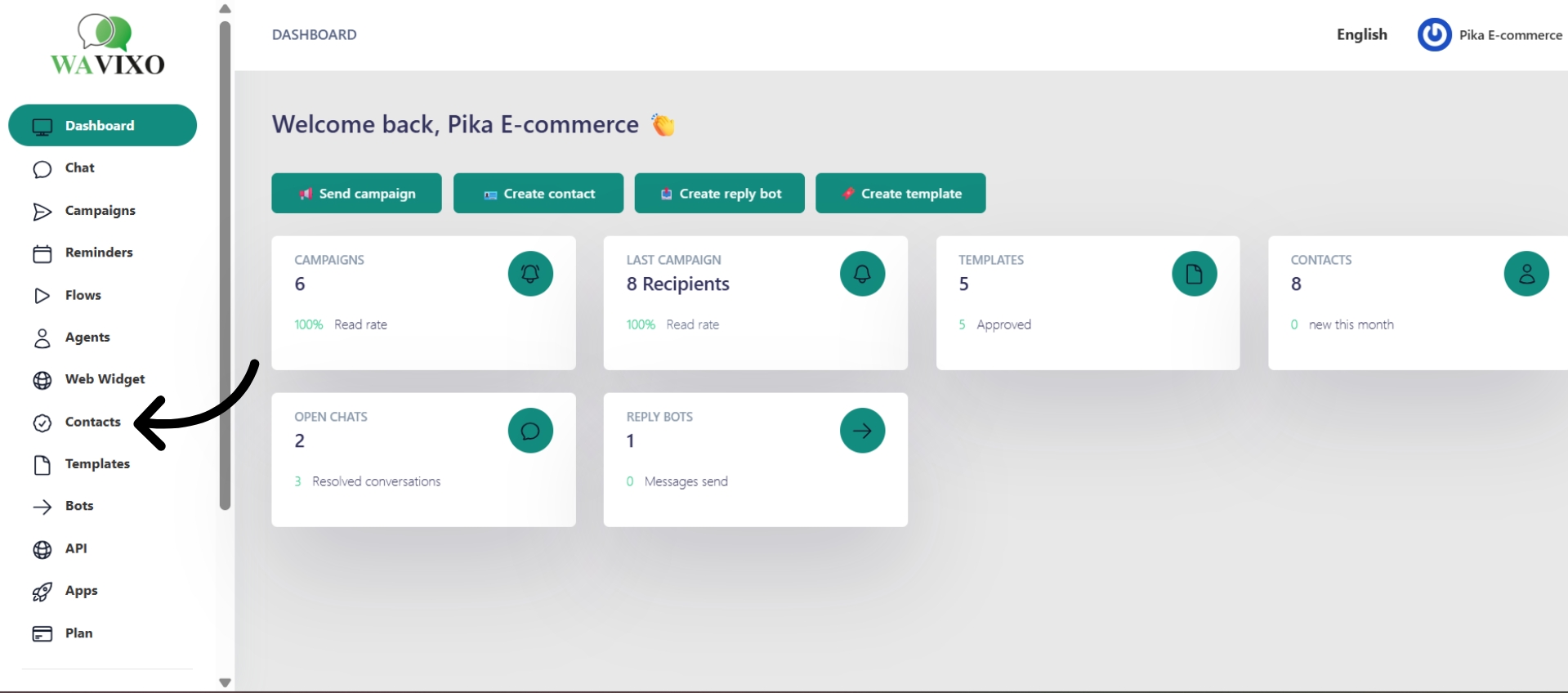
From your Wavixo dashboard, click Contact in the left navigation bar, then select Contact List. This displays all contacts in your account.
Step 2: Click the Red Delete Button
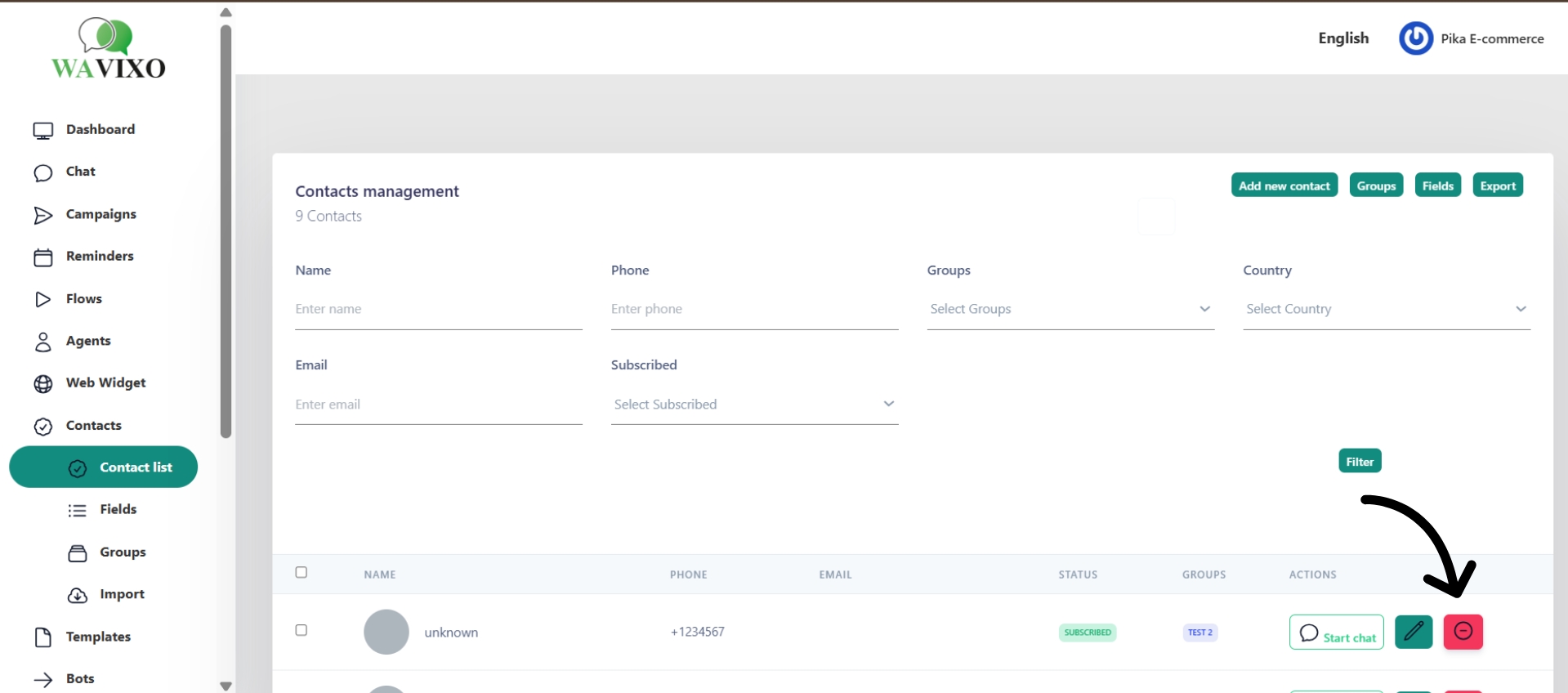
Find the contact you want to remove and click the red Delete button next to their name.
Step 3: Confirm the Deletion
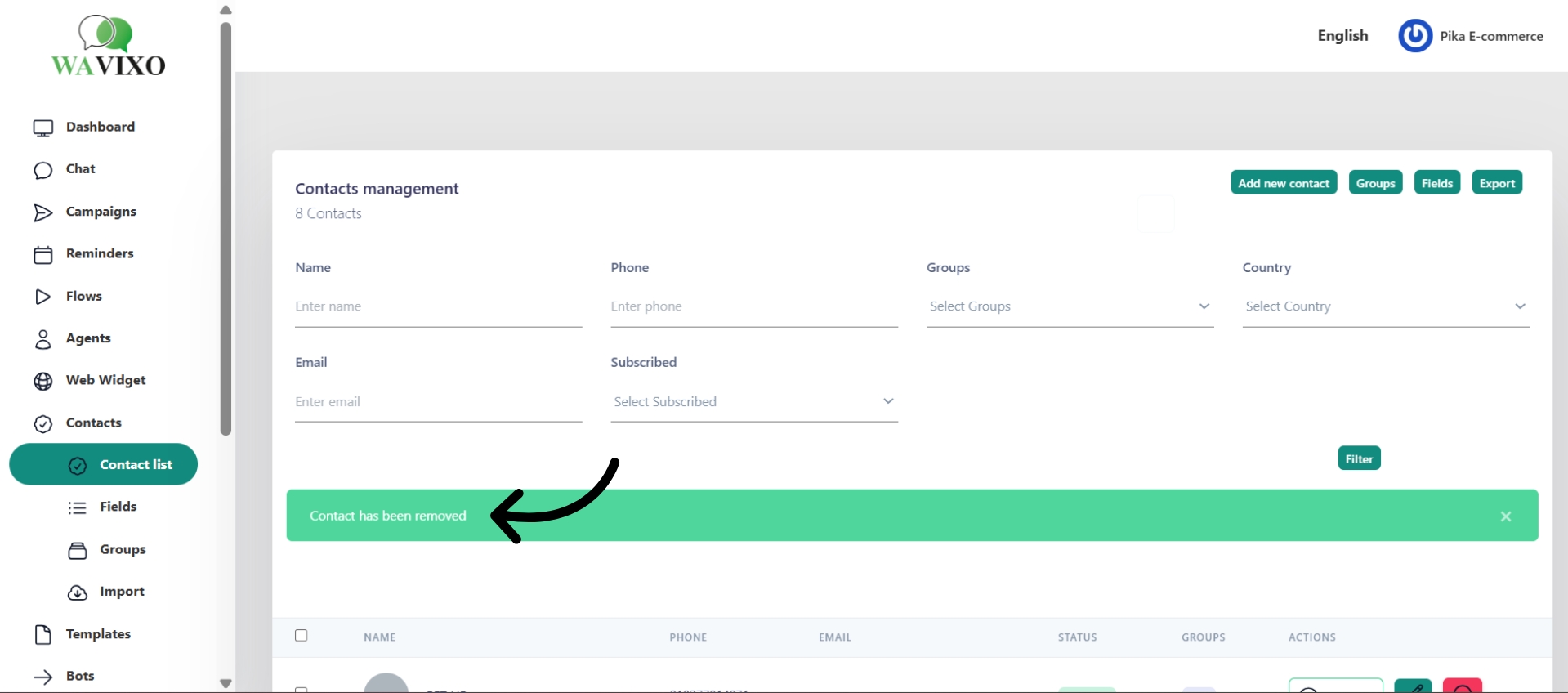
The contact will be permanently removed from your database and will no longer be accessible for communication or campaigns.
Before You Delete
To avoid accidental data loss, keep these quick checks in mind:
- Verify the contact is not active in any ongoing campaign or conversation.
- Check for duplicates — keep the most accurate entry rather than deleting all versions.
- Confirm with your team if others share the system, to ensure the contact is not needed elsewhere.
Regularly cleaning your contact list improves data organization, reduces duplicates, and helps ensure your marketing efforts reach the right people.
Make your Productivity
more efficient. From this time.
Get the Demo and unplash your productivity. Feel Free to get the
latest Technology. Have a good time
