

Meta Tech Provider

Help Center - Articles Detail

WhatsApp Display Name Verification
for Your WhatsApp API Account (Wavixo)
WhatsApp API account display name verification explains how businesses can verify their WhatsApp display name by following official naming rules, approval steps, and rejection guidelines. This guide by Wavixo helps you get your display name approved faster.
Guidelines for Creating a WhatsApp Display Name
There are several formatting and naming rules you must follow when setting your Display Name. Your chosen name must clearly relate to your business and must comply with WhatsApp’s Commerce and Business policies. If the Display Name violates any of these guidelines, it will be rejected.
Can You Change the Display Name Later?
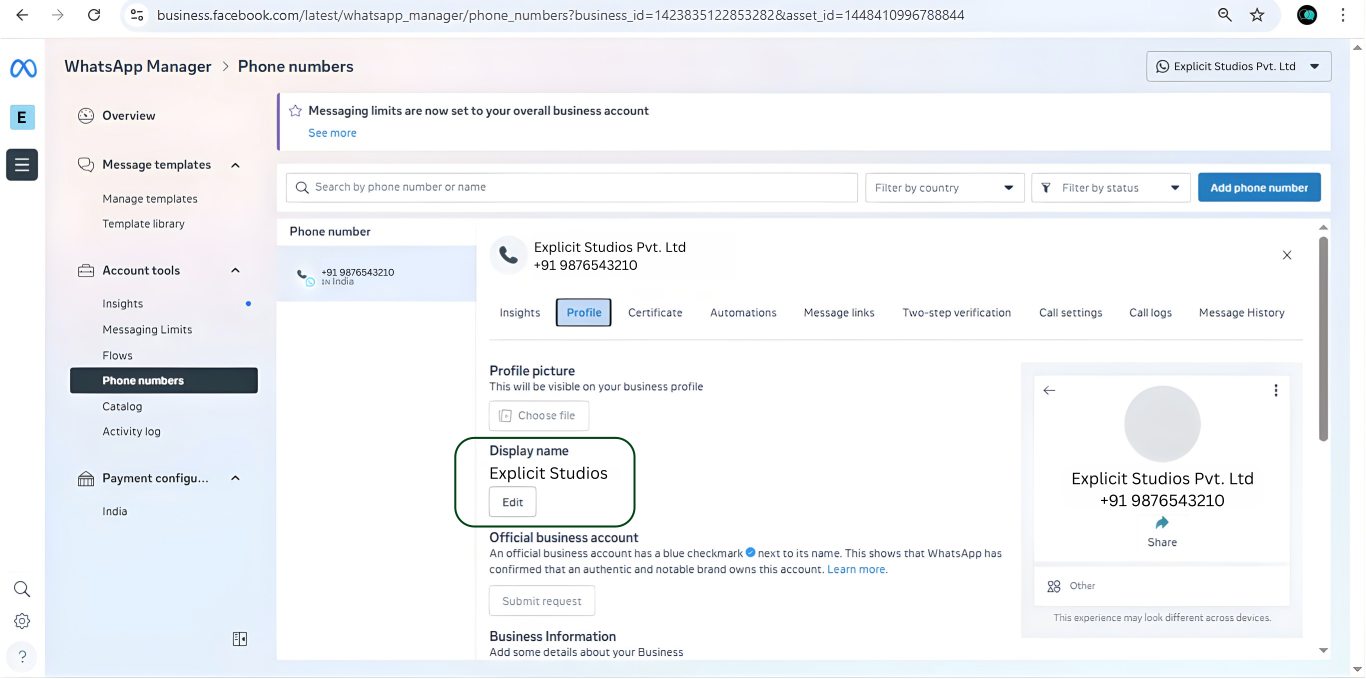
Yes. You can update your WhatsApp Display Name up to 10 times within 30 days.
After this limit, you must contact Facebook Support to request a Display Name change.
If you have an Official WhatsApp Business Account (Green Badge), contact Facebook’s Direct Support team and provide:
Question Topic: Request an Official Business Account
Request Type: Update OBA Display Name
Steps to Change Your Display Name (For Normal WhatsApp Business Accounts)
To update your Display Name, follow these steps:
1. Open Business Manager and select your business.
2. Go to WhatsApp Accounts, then open WhatsApp Manager.
3. Click on Account Tools.
4. In the left menu, select Phone Numbers.
5. Hover over your current Display Name and click the pencil icon.
6. Enter your new Display Name.
7. Click Next.
If your new Display Name follows all formatting guidelines, it will typically update within 2–3 hours.
Will This Display Name Be Used for the Green Tick Application?
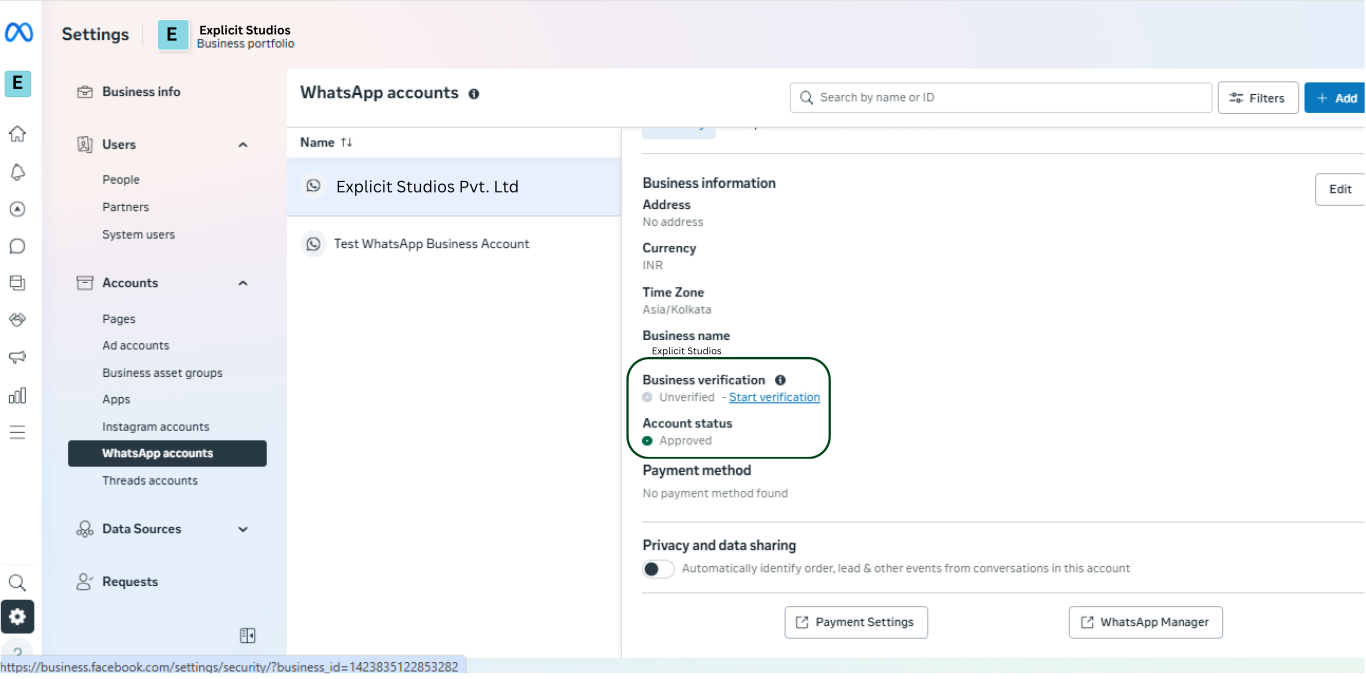
Yes. The Display Name you choose is the same name used for your Green Tick (Official Business Account) verification.
However, during the Green Tick application, you are allowed to submit an alternative name if needed.
A note on page 3 clarifies this connection between Display Name and Green Tick approval.
Can the Display Name Represent a Specific Department?
Yes. Your Display Name may be department-specific, such as:
Wavixo Finance
Wavixo Customer Support
Wavixo Sales
This is completely acceptable as long as it aligns with WhatsApp’s policies.
How to get blue Tick ?
When this button will not be gray out and shows active to you then you can apply for Blue Tick.
Useful Resources to Get Started with the Wavixo Platform
How to apply for WhatsApp Business API
how to create whatsapp template messages in wavixo
how to create a free wavixo account
how to broadcast whatsapp messages in the wavixo app
how can i automate replies on whatsapp for my business
These guides support you in setting up your WhatsApp Business API through Wavixo effectively.


Make your Productivity
more efficient. From this time.
Get the Demo and unplash your productivity. Feel Free to get the
latest Technology. Have a good time
