

Meta Tech Provider

Help Center - Articles Detail

How to Apply for
FREE WhatsApp Green Tick
Businesses can apply for WhatsApp Green Tick verification for free using Wavixo. The process includes meeting eligibility requirements, submitting required documents, completing Meta Business verification, and following best practices to improve approval chances for a verified WhatsApp Business account.
Important Note
The WhatsApp Green Tick is now known as the WhatsApp Blue Tick.
Only the color has changed — everything else remains the same.
For more details, refer to the full WhatsApp Blue Tick guide.
How to Apply for the WhatsApp Green Tick?
You can apply for the WhatsApp Green Tick for FREE through Wavixo by following the steps shown in the tutorial video referenced on page 1
Eligibility Criteria for WhatsApp Green Tick
To apply for the WhatsApp Green Tick (now Blue Tick), your business must meet the following requirements:
You must have an approved WhatsApp Business API account.
Two-Step Authentication must be enabled.
Your Facebook Business Manager / KYC must be verified by Meta.
Only legally registered businesses are eligible — individuals cannot apply.
Recommended: Your account should be at Broadcast Tier 1 or higher.
Your message quality must be consistently high.
Your Display Name must be approved by Meta.
Your business must be notable and reputable.
Your business should have at least 3 published organic PR/news articles (paid PR is not counted).
Important Meta Policy Notes
As stated on page 3:
The decision to approve or reject the Green/Blue Tick lies entirely with WhatsApp/Meta.
API providers like Wavixo only forward your application to Meta—they do not influence approval.
After submission, Meta typically updates your application status within 45 days.
Due to the ongoing global Meta outage (as mentioned in the document), Green Tick applications are currently paused until Meta resolves the issue.
Even if Meta rejects your application, you can reapply for FREE through Wavixo.
Steps to Apply for the WhatsApp Green Tick
You can apply for a Green Tick only through an official WhatsApp Business API provider like Wavixo.
Follow these steps:
1. Open Your Wavixo Dashboard
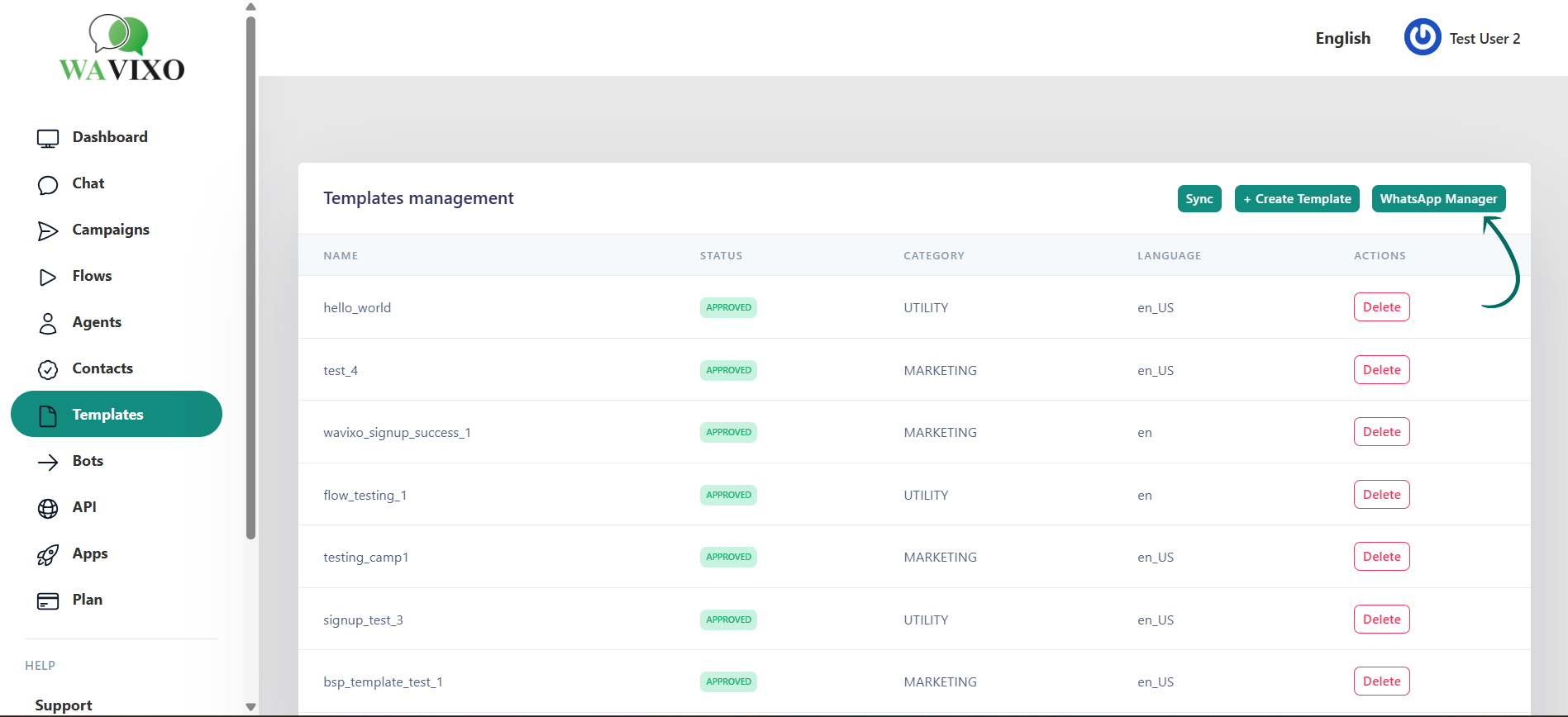
Locate the “Apply for Green Tick” button under All Steps, as shown in the image on page 3.
Clicking this button will redirect you to WhatsApp for the verification form.
📌 Note: You must have an active WhatsApp Business API account to begin the process.
 2. Fill Out the Green Tick Application Form
A form will appear (page 4 screenshot). Fill it out carefully with accurate business details.
Once you submit the form, Wavixo will forward your application to Meta for review.
Important:
Due to Meta’s global outage, new submissions are temporarily disabled.
Please monitor Meta’s official updates for when application processing resumes.
After Meta processes the form, you can expect a response within 7–10 days (depending on system stability)
Will I Automatically Receive the Green Tick When I Apply for the WhatsApp API?
No.
The WhatsApp Business API and the Green Tick verification are two separate processes.
You do not receive the Green Tick automatically after activating your API.
Once your business becomes eligible, the Wavixo team will assist in submitting your Green Tick application.
Meta also requires a review of your business information at the time of API onboarding.
Accounts with incomplete or unclear business details cannot proceed to Green Tick verification.
Can I Use WhatsApp Business API Without the Green Tick?
Yes.
You can use all features of the WhatsApp Business API without having a Green/Blue Tick.
The badge only confirms that WhatsApp has verified your business identity.
It does not impact your feature access or messaging capabilities.
Can I Keep the Green Tick Without a WhatsApp Business API Account?
No.
If you downgrade from the WhatsApp Business API to WhatsApp/WhatsApp Business App:
Your Green Tick will be removed
It will no longer appear on your business profile
The WhatsApp Business API must stay active to retain the Green Tick status.
Related Articles
How to apply for WhatsApp Business API
WhatsApp Broadcast Limit
WhatsApp Broadcasting Rules
How to Opt-in & Opt-out users inside Wavixo


Make your Productivity
more efficient. From this time.
Get the Demo and unplash your productivity. Feel Free to get the
latest Technology. Have a good time
