Meta Tech Provider

subtitle

Help Center - Articles Detail

subtitle

How to Create a FREE WhatsApp
Button for Your Website (Wavixo Guide)

A free WhatsApp button allows website visitors to start a direct chat instantly using WhatsApp Web or mobile app. It improves engagement, response time, and lead generation with a lightweight, easy-to-add button that works across all devices.

Support
Getting Started

How to Create a FREE WhatsApp Button for Your Website (Wavixo Guide)

A WhatsApp Button helps you convert website visitors into WhatsApp conversations instantly—leading to higher engagement and faster conversions.
When added to your website, this button allows visitors to click and start a WhatsApp chat with you instantly, even after leaving your site.
With a Wavixo WhatsApp Button, you can:

Redirect website visitors directly to WhatsApp

Automatically capture users’ names and WhatsApp numbers

Here’s how to create and add a FREE WhatsApp Button to your website.


⭐ Steps to Create & Integrate a WhatsApp Button for FREE


1. Go to the WhatsApp Button Creator Page

Visit the Wavixo WhatsApp Button Generator Tool to start building your custom WhatsApp chat button for your website.

2. Customize Your WhatsApp Button


Start by entering your WhatsApp number along with your country dial code.
Example for India → enter 91 before your number.
You can personalize the button using options such as:

Button Background Color

CTA Text (e.g., “Chat with us”)

Bottom, Left & Right Margins

Corner Radius

Pre-filled Message (Default is "Hi", but you can modify it)

Button Position (Left or Right)

3. Choose the Button Background Color

To make your button stand out, select a color that contrasts well with your website theme. A clear contrast improves visibility and increases clicks.


4. Configure the WhatsApp Button Dimensions

Set the button spacing and radius to decide where it appears on the screen.
Default values:

Margin Bottom: 30

Margin Left: 30

Margin Right: 30

Radius: 24

You may adjust these as needed for your layout.


5. Select WhatsApp Button Position

You can display the button on either:

Right side, or

Left side

According to UX studies (mentioned in the original content), 80% of users focus more on the left side—so placing it left may increase engagement.


6. Set CTA Text & Pre-filled Message

CTA Text is what appears on the button—example: “Chat with us”.
A pre-filled message is what users will see auto-typed when they open your WhatsApp chat.
Example:
“Hi, I need assistance.”

Tip:
Use a pre-filled message that matches your first message tag, so the correct tag is automatically assigned to the user.


7. Customize the Chat Widget

This widget appears when someone clicks the WhatsApp Button on your website.
Customize fields such as:

Brand Name

Brand Icon/Image

Widget CTA Text (e.g., “Start Chat”)

Default On-screen Message
Example shown:

“Hi, how can I help you?”

These details help users instantly understand whom they are contacting.


8. Personalize URLs (Optional)

This feature lets you create page-specific WhatsApp Buttons.
You can customize:
Display message

Pre-filled WhatsApp message

On-screen widget text

Example use case:
Different WhatsApp messages for your pricing page, contact page, or product pages.

Enter:
Source URL

Custom pre-filled message

Custom widget message

This helps personalize communication depending on where the visitor is on your site.


9. Preview Your WhatsApp Button

Click the preview to test how the button and chat widget look and behave before finalizing edits.
Make adjustments if needed.


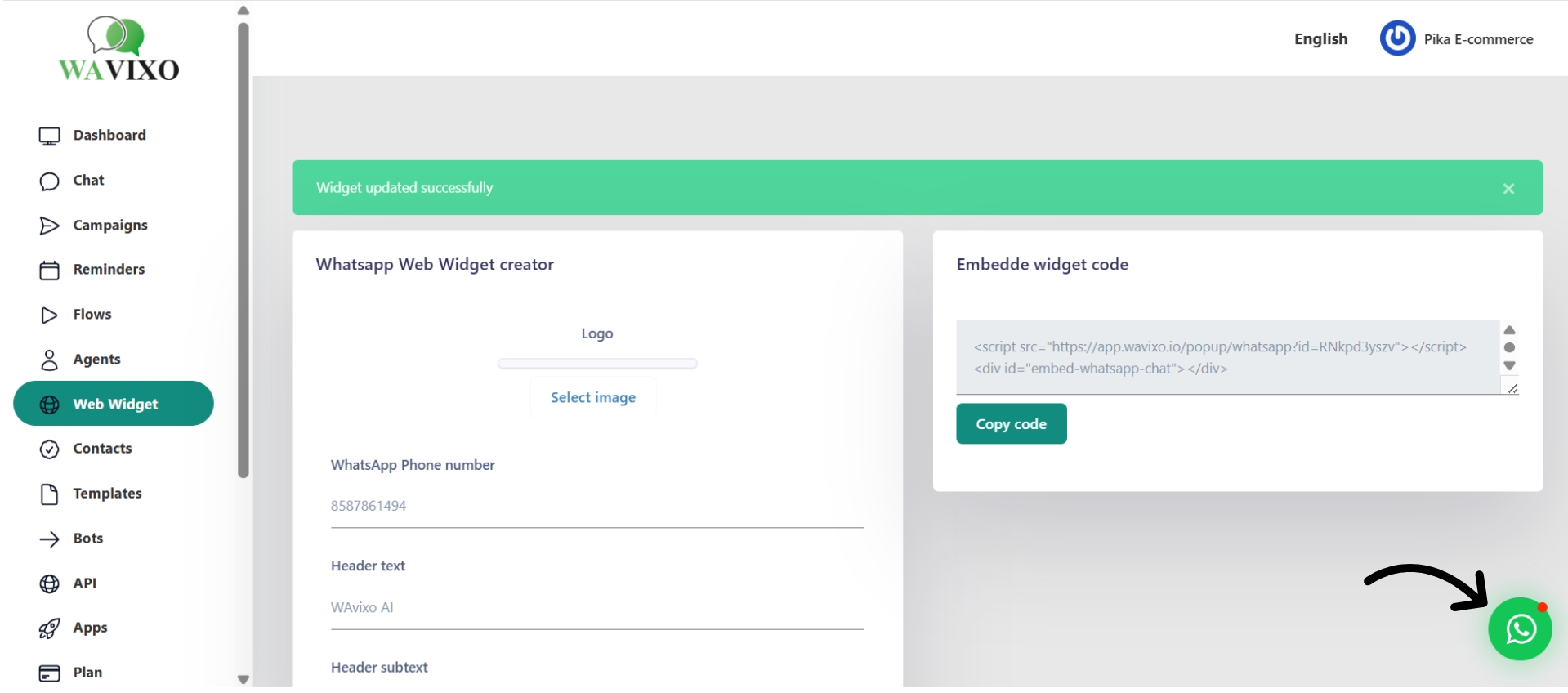
10. Generate & Paste the Snippet Code on Your Website

Once ready:
Click Generate Snippet

Copy the generated code

Paste it below the "body" tag of your website

That’s it—your WhatsApp Button will now appear live on your site!


🎉 Enjoy 3× More Engagement & Conversions with Your Wavixo WhatsApp Button!

A well-designed WhatsApp button significantly boosts user interaction, lead generation, and overall conversions.


Related Articles

style
net
wavixo
background

Make your Productivity
more efficient. From this time.

Get the Demo and unplash your productivity. Feel Free to get the
latest Technology. Have a good time

layer