

Meta Tech Provider

Help Center - Articles Detail

How to Downgrade Your
WhatsApp Business API Number
Learn how to switch your WhatsApp Business API number back to regular WhatsApp.
How to Downgrade Your WhatsApp Business API Number
The process of downgrading a WhatsApp Business API number is different from deleting a WhatsApp or WhatsApp Business App account. If you want to move your number back to standard WhatsApp or WhatsApp Business App, follow the steps below:
1. Go to Your Facebook Business Manager
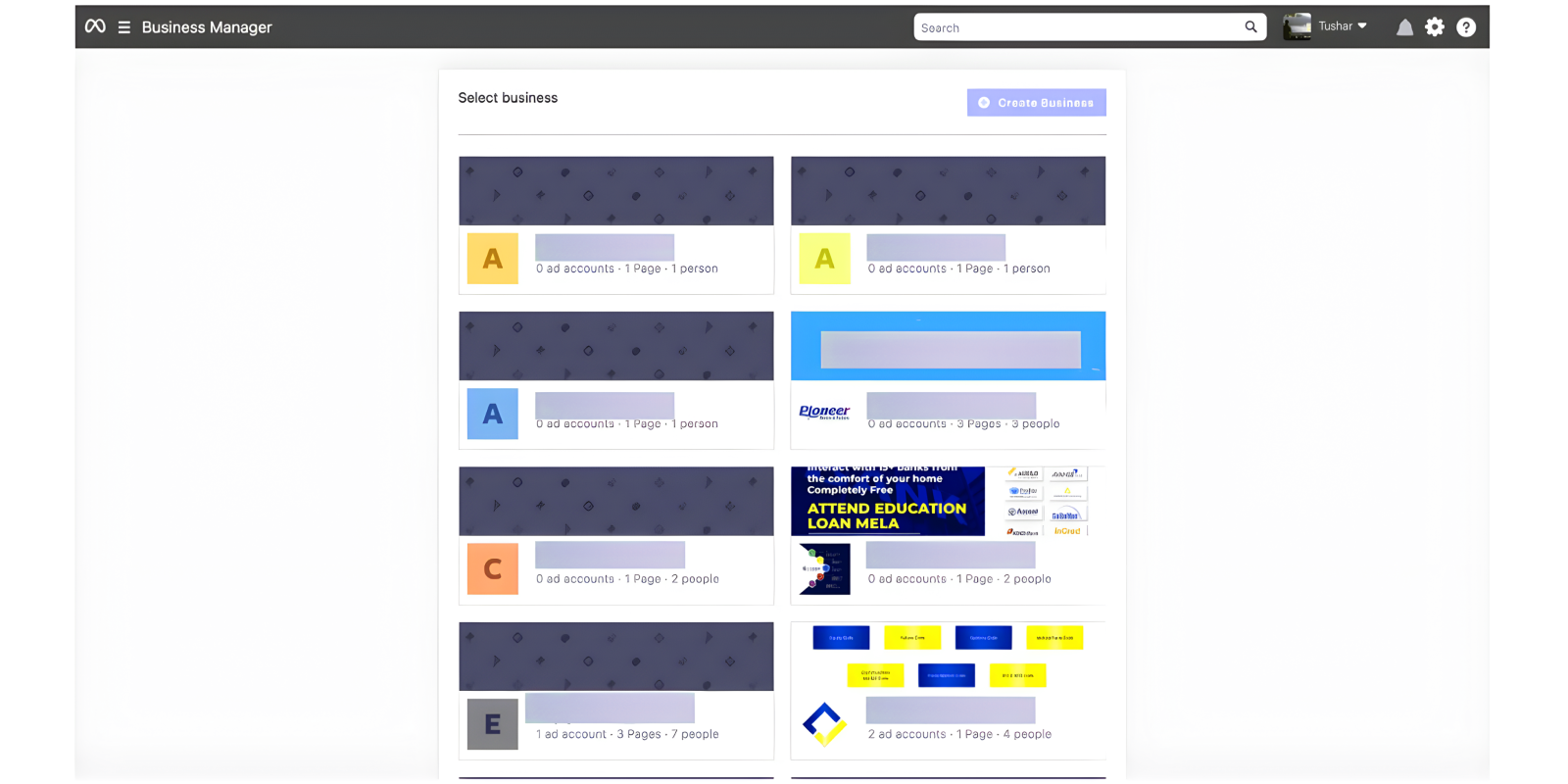
(As shown in the screenshot on page 1.)
2. Open Business Settings → Select “WhatsApp Accounts” from the Left Panel
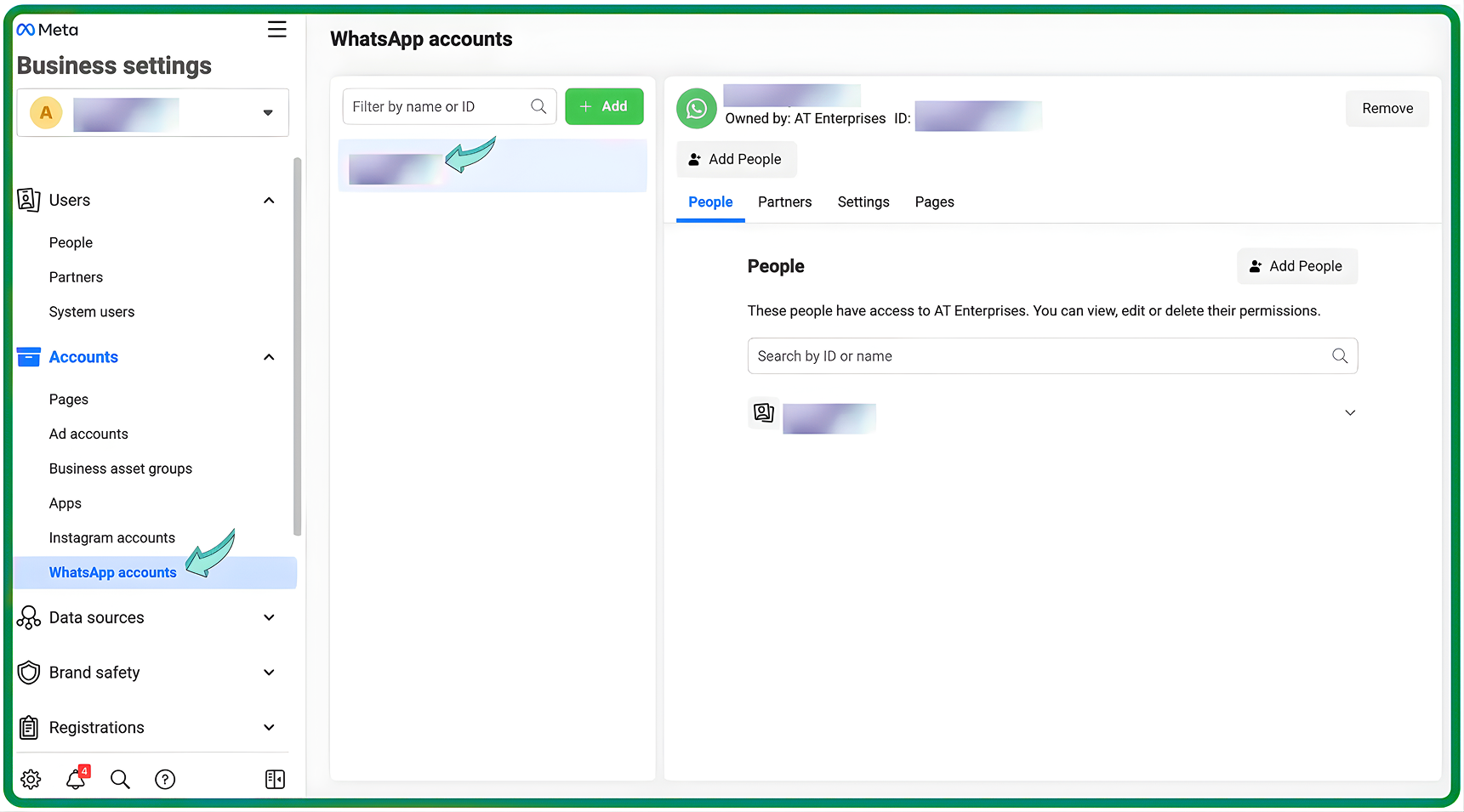
If you have multiple WhatsApp Business API accounts, choose the one you wish to downgrade.
3. Go to “Settings” → Scroll Down → Click on “WhatsApp Manager”
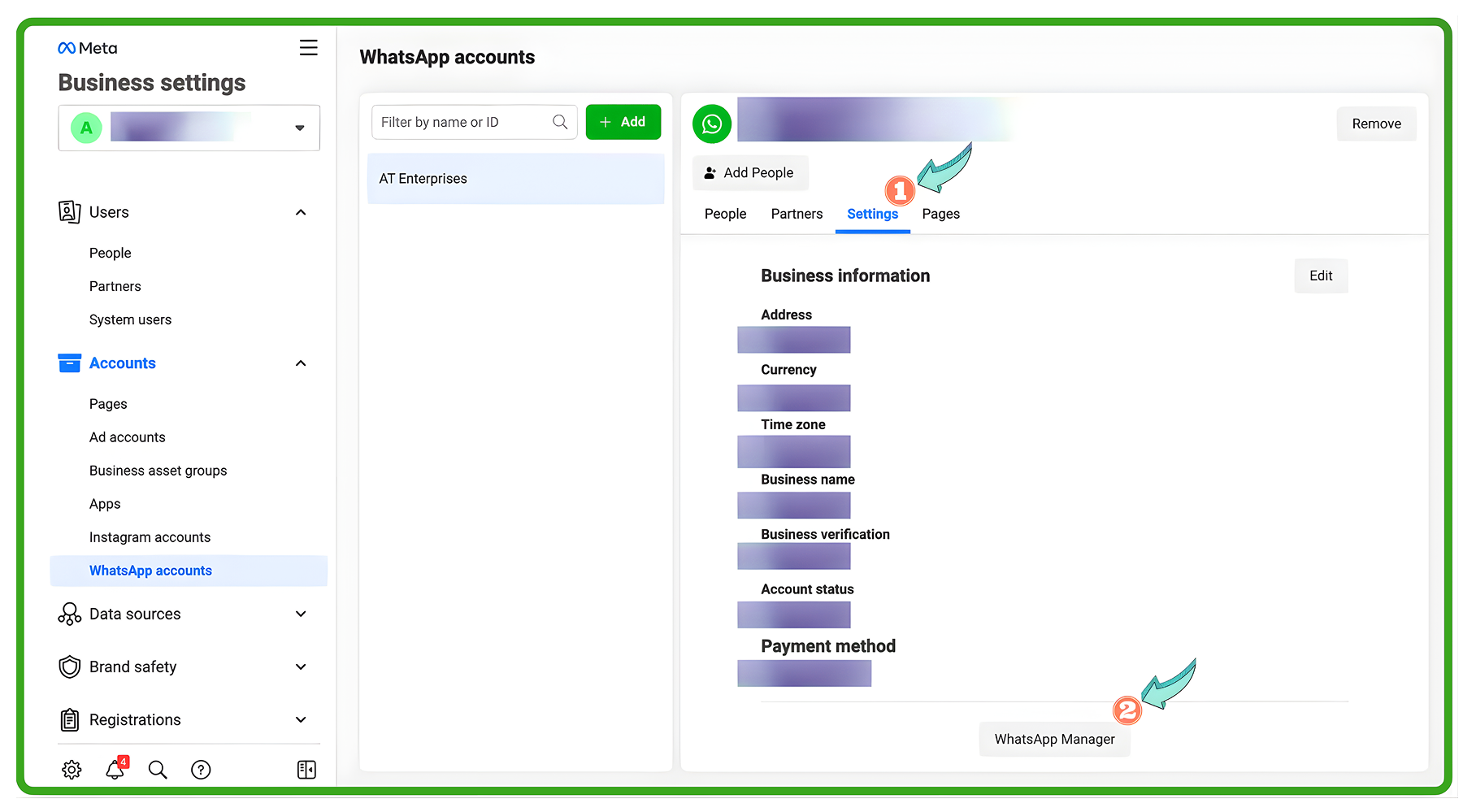
This will open the WhatsApp Business API account details.
4. Click on “Account Tools” → Choose “Phone Numbers”
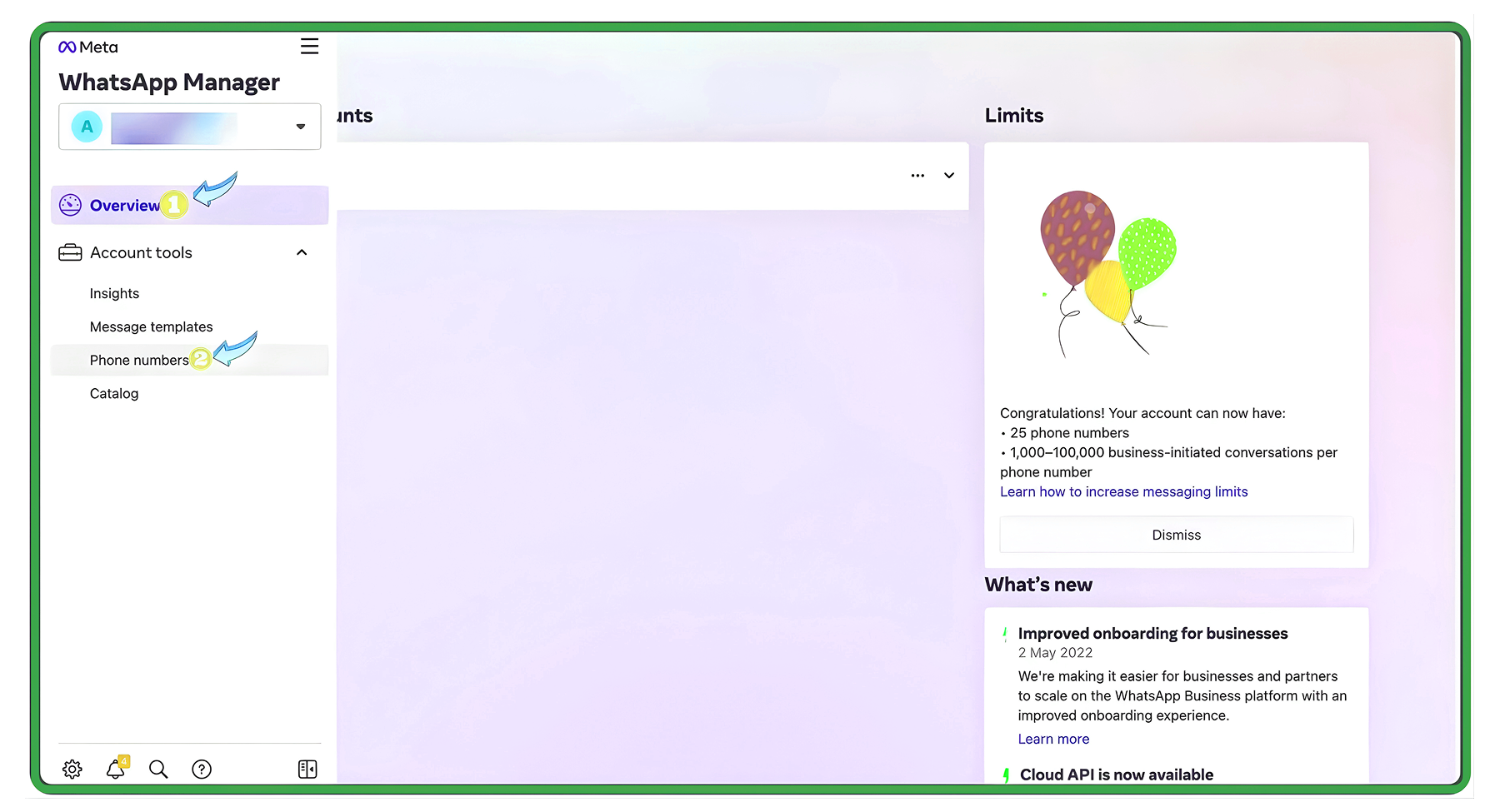
This section contains all API numbers linked to your business.
5. Click the Trash Bin Icon to Downgrade the WhatsApp Business API Account
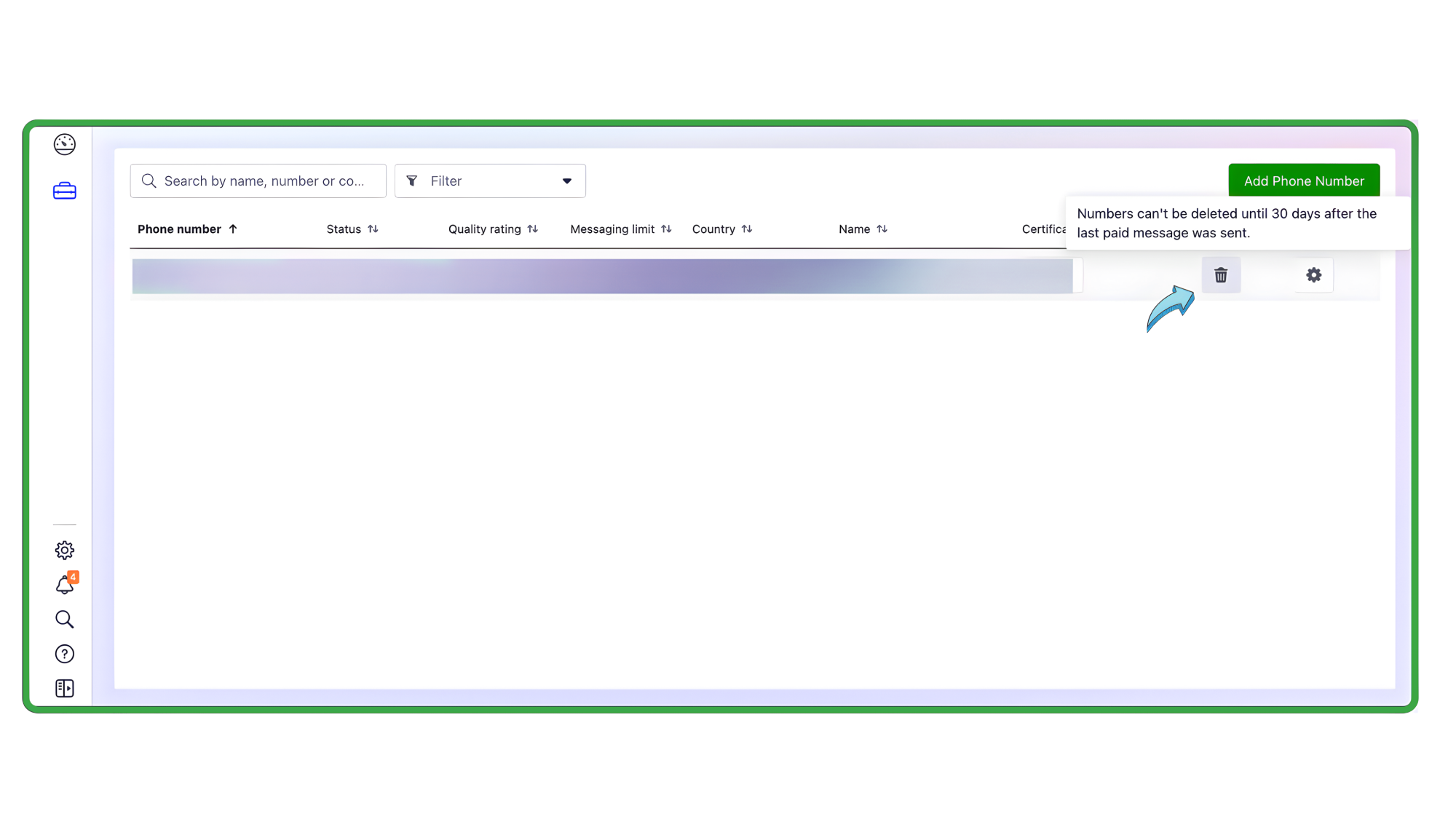
Once you delete the API account:
Wait a few minutes
Then log in to the WhatsApp or WhatsApp Business App using the same number
⚠️ Important Notes:
Downgrading is now reversible. You can recreate a WhatsApp Business API account later using the same phone number.
However, all data stored in the API account—messages, contacts, logs, templates, and settings—will be permanently deleted.
If you want to downgrade a number from WhatsApp/WhatsApp Business App and upgrade it to WhatsApp Business API, refer to the linked guide mentioned in the document.
Need Help?
You can contact the Wavixo support team for assistance.
Related Articles
How to apply for WhatsApp Business API
WhatsApp Broadcast Limit
WhatsApp Broadcasting Rules
How to Import and Export Contacts in Wavixo


Make your Productivity
more efficient. From this time.
Get the Demo and unplash your productivity. Feel Free to get the
latest Technology. Have a good time
