

Meta Tech Provider

Help Center - Articles Detail

WhatsApp Template
Message Guidelines (Wavixo)
Essential rules to follow for creating WhatsApp Template Messages that get approved quickly.
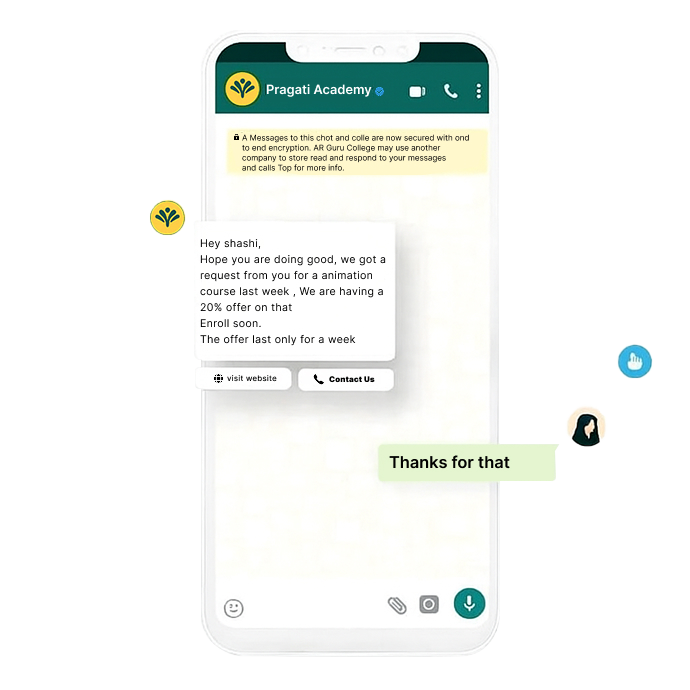
What is a WhatsApp Template Message?
WhatsApp allows businesses to freely send messages to users within a 24-hour window from the user’s last message.
Once this 24-hour window ends, you may only send a WhatsApp Template Message, which must be submitted for approval before use. This system exists to prevent spam and ensure high message quality.
A WhatsApp Template Message can include:
Promotional offers
Product launches
Weekly newsletters
Abandoned cart reminders
Festive greetings
Transactional alerts
And more
Do Template Messages Need Approval?
Yes. Every template submitted through Wavixo is carefully reviewed by the WhatsApp Team before approval.
Approval happens only if the template:
Contains no grammatical errors
Follows content guidelines
Adheres to formatting rules
(This is illustrated on page 2, where the example template is reviewed.)
WhatsApp Template Message Guidelines
To ensure your templates get approved quickly in Wavixo, follow the rules below.
❌ WhatsApp Prohibits Certain Types of Content
1. No Threatening or Abusive Content
Templates must not include threatening language or intimidation.
Example of forbidden content:
“Pay your loan now or strict action will be taken.”
2. No Sensitive Data Collection
Template messages cannot request confidential details such as:
Credit card numbers
Bank details
Government-issued IDs
However, you can conduct polls, surveys, or feedback collection (as long as they avoid personal sensitive data).
Formatting Rules You Must Follow
These rules are crucial—violations commonly lead to rejection.
1️⃣ Begin with a Greeting and Personalization
Start your template with a greeting like:
“Hey {{1}}”
“Hello there 👋 {{1}}”
Variable {{1}} typically represents the user’s name.
2️⃣ State the Purpose Immediately
Your first line should clearly explain what the message is about.
For example:
“Special offer on our Bassheads 225!”
“Your subscription renewal is due.”
(Page 4 reinforces this point.)
3️⃣ Footer Must Contain an Opt-Out Option
You must give users a way to unsubscribe.
Footer example:
“Reply STOP to unsubscribe.”
You can set Opt-in/Opt-out Keywords under:
Manage → Opt-in Management.
4️⃣ Proofread Carefully
Mistakes in grammar or spelling may cause users to perceive messages as spam and can result in rejection.
5️⃣ Use Variables Correctly
Variables must:
Be written exactly like {{1}}, {{2}}, {{3}}
Contain text paired with them
Correct Format:
Hello {{1}}, your order {{2}} has been shipped.
Incorrect Format (page 4 warning):
Hello
{{1}}
{{2}}
6️⃣ The Template Language Must Match the Content
If you select Spanish, but write in English, the template will be rejected.
Additionally:
Do not mix languages (e.g., Hinglish, Spanglish).
Use one language per template.
7️⃣ Follow Test Format When Submitting Test Templates
If creating a test message, follow the exact format:
Template Name: test
Content: Hello {{1}}
8️⃣ Do Not Use URL Shorteners
WhatsApp disallows shortened links like:
bit.ly
tinyurl
goo.gl
Always use full URLs where the domain belongs to your business.
9️⃣ Maintain Clean Spacing
Avoid:
Double spaces
Extra spaces at the end
Empty lines between text
(Page 5 shows a clear example of correct vs. incorrect spacing.)
🔟 Quick Reply Button Restrictions
Do not use emojis in quick reply buttons.
1️⃣1️⃣ Call-to-Action Button Phone Number Rules
Phone numbers must:
Contain the country code
Exclude the “+” symbol
Example:
Correct → 919876543210
Incorrect → +91 9876543210
WhatsApp Content Policy Compliance
All template messages must comply with WhatsApp’s official Commerce and Content Policies, as highlighted on page 5
Helpful Video Guides (Page 5-6 References)
Wavixo provides walkthroughs for:
Fixing spam-flagged templates
Troubleshooting template submission errors
Understanding why Meta disabled your template
These videos help you correct and resubmit templates successfully
Related Articles
How to apply for WhatsApp Business API
WhatsApp Broadcast Limit
WhatsApp Broadcasting Rules
WhatsApp Quality Rating


Make your Productivity
more efficient. From this time.
Get the Demo and unplash your productivity. Feel Free to get the
latest Technology. Have a good time
